Chapters
- 1. Getting started
- 2. Adding items
- 3. Catalogue
- 4. Bookcases and plan view
- 5. Copies and loans
- 6. Editions and supplements
- 7. Circulation
- 8. Reports
- 9. Sign in with Microsoft
- 10. Reading
- 11. Genres
- 12. Libraries, roles, invitations
- 13. Settings
- 14. On your phone
- 15. Connect AI assistants
- 16. Regalzeile for Chrome
- 17. What's new
Genres
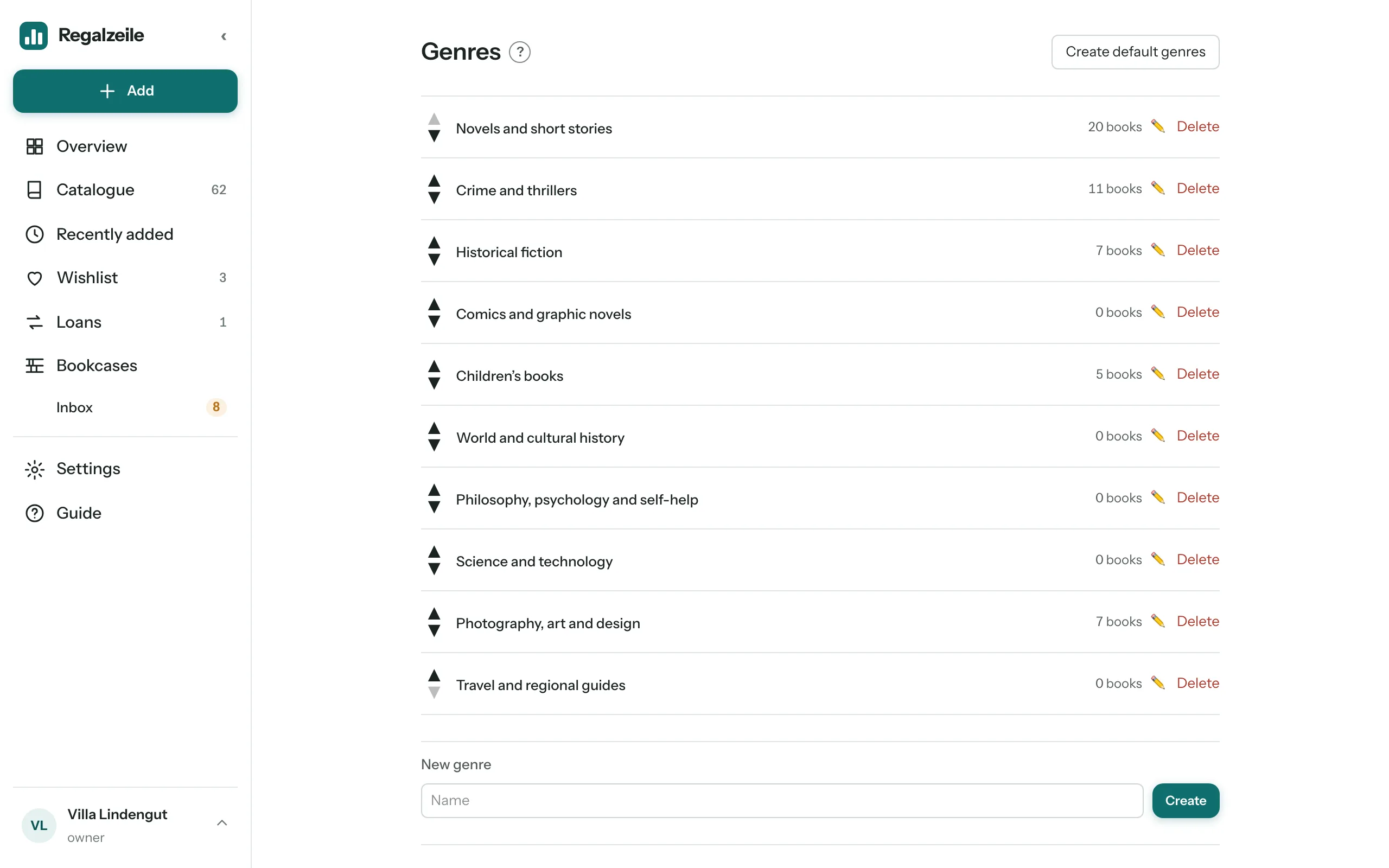
Every book carries exactly one genre — it is the location class for the bookcase, like a subject group in a library, and so it steers auto-layout and sorting. In addition, a book can have any number of tags; these are pure keywords and do not affect the location.
Automatic assignment
When you add a book, when you look up an ISBN in the form and when you import from Libib, every book automatically gets a genre by fixed rules: first Kinderbuch (children’s book), then Belletristik (fiction), then Geschichte (history), then the other subject areas, plus catalogue categories and, as the last stage, title and author patterns. If no rule finds a match, the book stays “Without genre”.
Genre page
From the “Genres” section in the settings (“Go to genres”) you reach the list: rename genres and sort them with the arrows — the order here is the same as in the selection fields of the form. The “Review suggestions” section shows books without a genre together with an automatic suggestion; you accept it or reject it and choose by hand.
Filter and markers
In the catalogue you find books without a genre with the “Without genre” filter; the marker letter G flags them in list and tiles, and in the plan their spine carries the same mark “G”.
More chapters
Related guides
- Maintaining genres and authorsGenres automatic and by hand, merging authors and publishers, unifying names.