Chapters
- 1. Getting started
- 2. Adding items
- 3. Catalogue
- 4. Bookcases and plan view
- 5. Copies and loans
- 6. Editions and supplements
- 7. Circulation
- 8. Reports
- 9. Sign in with Microsoft
- 10. Reading
- 11. Genres
- 12. Libraries, roles, invitations
- 13. Settings
- 14. On your phone
- 15. Connect AI assistants
- 16. Regalzeile for Chrome
- 17. What's new
Reading
Reading status, stars and “Read on” belong to you, not to the library: every member enters their own details and sees only those — not the ones of the others. This exists for books only; records keep showing the rating from Discogs.
On the item page
The “Reading” block shows five stars to click, for example ; a click on the star that is already set clears the rating again. Next to them are three buttons: Unread, Reading now, Read. When you switch to “Read”, the “Read on” field appears with today’s date filled in — you can change it to an exact date or to just a year (“1998”). If you read the book again later, a new date simply overwrites the old one, without a history of its own. Below that, where applicable, comes the line “Read by …” with the other members who have read the book as well.
In the form
When you add or edit a book, there is the same “Reading” section — the details are saved independently of the rest of the form.
Catalogue and Overview
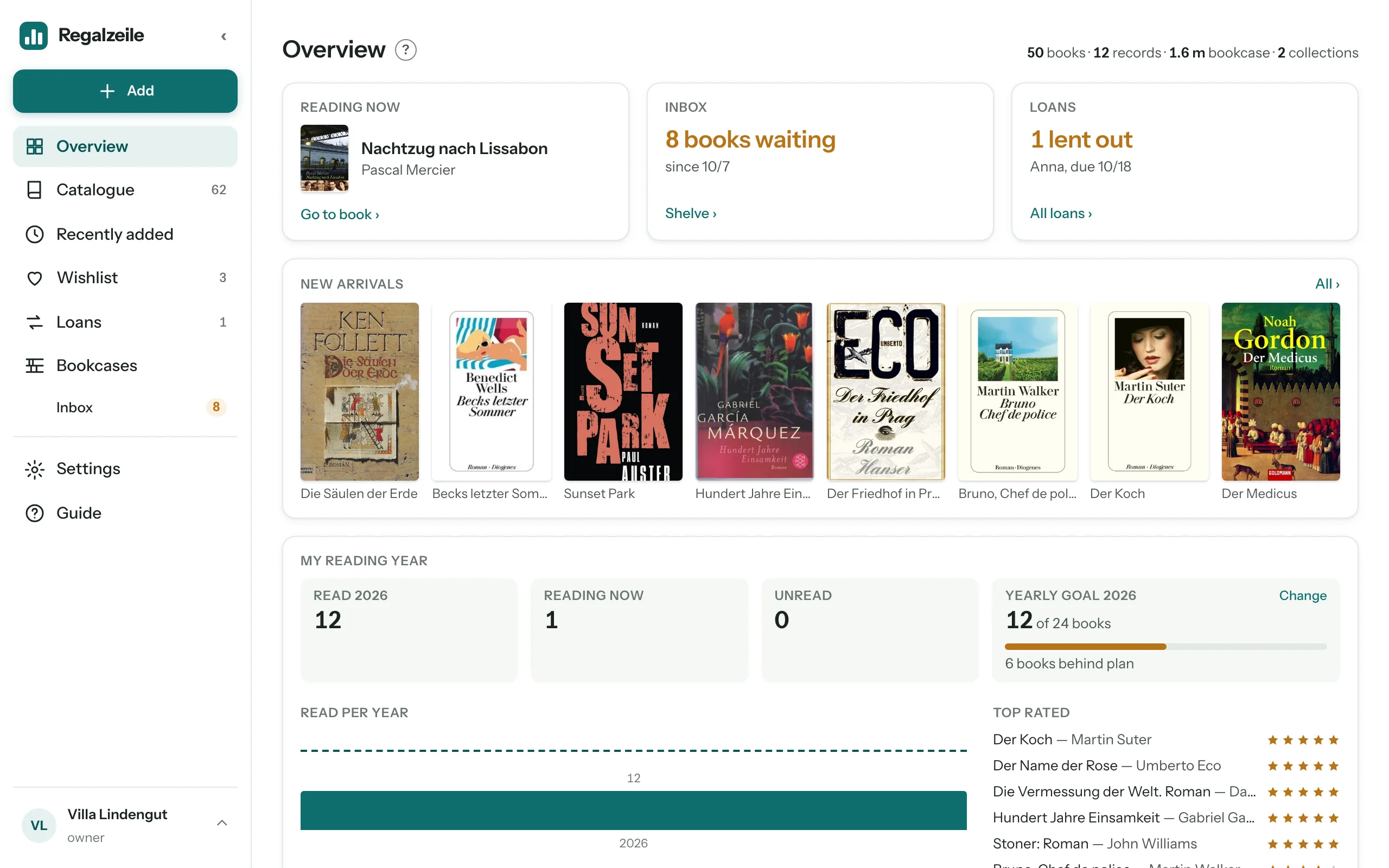
In the catalogue you filter by reading status and sort by rating; rows and tiles show your own stars in small size. On the Overview, the book you are reading right now sits at the very top as a card; the “My reading year” card shows four numbers — Read in the current year, Reading now, Unread and your yearly goal —, below them a bar for each year with a goal marker and the “Top rated” ranking. You set, change or remove the yearly goal directly in the card; the progress shows its pace as a sentence like “2 books ahead of plan”.
More chapters
Related guides
- Reading: status, stars and yearly goalUnread, reading now, read — with stars, “Read on” and a goal for the year.