Adding vinyl records
Guide 8 of 8
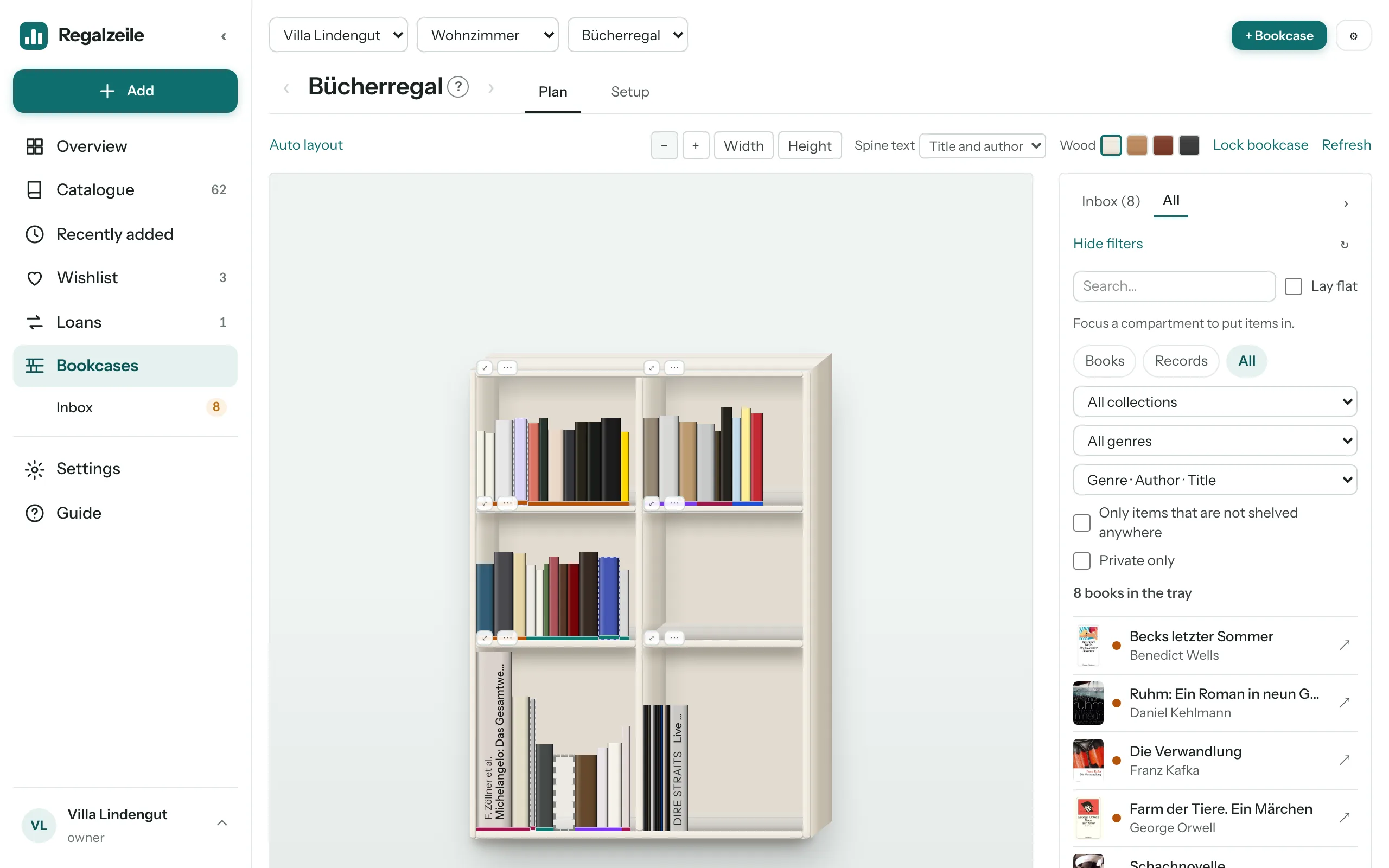
Regalzeile isn’t only for books. Records stand on the same bookcase, with square covers and their real spine width. Whether it’s ten favourite albums or a collection of several hundred that has grown over the years, this article shows how they get into the app and how they look in the bookcase plan.
A collection for records
Every collection has a media type. So start by creating a collection of its own via “New collection”, with records as its media type — “Vinyl”, say, or “Living-room records”. In the catalogue, the chips “Books · Records · All” at the top switch between media, and the tray in the plan view can be filtered by medium as well. That way books and records never get in each other’s way.
Adding by barcode
Almost every record has a barcode on the back. You scan it just as you would a book — with the scanner on your phone or via the search in “Add item”. Regalzeile looks the code up on Discogs and MusicBrainz and fetches artist, title, year and cover. Older records without a barcode can be found by searching for artist and title, or entered by hand in the form.
Discogs sync with the Full plan
If you already keep your collection on Discogs, there is no need to enter anything twice. From the Full plan onwards, the owner stores the Discogs username and a token in Settings. “Fetch new records” reads your Discogs collection and creates only the records that are missing; “Full sync” fetches every record individually, including cover, track list and rating. After that, Regalzeile syncs on its own every night. If you own a record more than once, the sync creates the missing copies. It never deletes anything.
Covers and spine width
Record covers are square, and that is how Regalzeile shows them: in the catalogue, on the item page and in the cover view. For the spine width there is a template, since hardly anyone measures record sleeves: 2 mm for the sleeve and 3 mm per disc. A single LP thus comes to 5 mm, a double album to 8 mm, a triple LP to 11 mm. If a record differs — a thick box set, for example — enter the measured width by hand.
Records in the bookcase plan
In the plan view you shelve records just like books: set the tray to “Records”, focus a compartment, drag the record in. The narrow spine carries a single line of text, the artist in capitals and semi-bold, followed by the title — “MILES DAVIS Kind of Blue”, for instance. That way you can spot an album at a glance, even in a tightly packed compartment.
More on adding items and Discogs in the Adding items chapter of the Guide.